This page shows how to use the tone checker: paste a message, read the highlights, then rewrite before you send. Found a problem? Report it on the contact page. Start on the Respect Coalition home page.
Paste a message
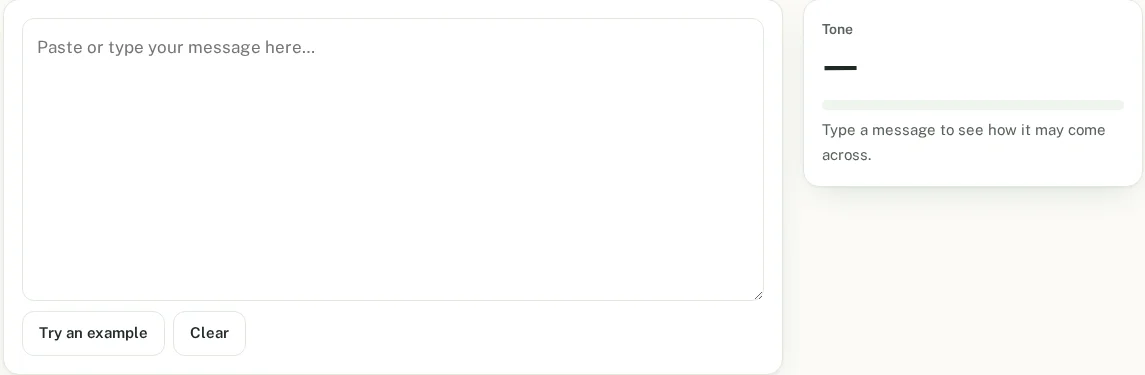
Start on the home page and paste your draft. The checker sits at the top of the home page in a text box; typing or pasting into it runs the check right away, with no account and no submit button needed.
A “Try an example” button next to the box fills in a sample message so the highlights and tips can be seen before pasting anything real.
Read the highlights
Table of highlight × meaning × next step.
| Highlight | Meaning | Next step |
|---|---|---|
| Absolute words | “always”, “never”, “everyone”, “no one” | Name the specific time or detail instead |
| Blame phrasing | “you always…”, “you made me…” | Rewrite as an “I” statement |
| Insults or labels | name-calling words | Describe the behavior and its effect |
| Dismissive phrases | “whatever”, “calm down”, “not my problem” | Acknowledge their view, then restate the point |
| Possible sarcasm | “thanks a lot”, “great job” used sarcastically | Say directly what is meant |
| Demands | “do it now”, “asap”, “you must” | Turn it into a request with a reason and a time |
| ALL-CAPS words | words typed in capitals | Use normal case |
| Stacked punctuation | “!!!” or “?!” | Use one punctuation mark |
Each highlighted word or phrase is underlined in the message, and a matching tip appears in the list beside it; a tone score and label (Calm, Firm, Tense or Harsh) sum up the message as a whole.
Rewrite and send
Edit the flagged wording, then copy your message. Working through the tips one at a time and watching the score move keeps the edit focused on the words that matter most.
Some characters show as boxes on older devices or are removed by an app; paste and check before saving.
Was this page helpful?
One tap tells us which guides need more detail.
Thanks for your feedback!